The SEOFuxx Crawler reads your sitemap.xml and checks every URL in it: is it reachable, does it redirect, or does it return an error?
What the crawler looks at
It uses the sitemap as its starting point and requests every URL listed there. For each URL it records:
- the HTTP status (OK, redirect, 4xx, 5xx or unreachable)
- whether the URL was still in the sitemap at the last crawl
- when it was last loaded successfully
The crawler does not evaluate meta data, headings, images or load times. It does store the content of every URL it finds, so that other evaluations can use it, such as the AI optimization coach under SERPs. For checking a page there is the Page Audit, which always checks a single page.
Start a crawl
- Open Crawler in the navigation
- Enter the Sitemap URL, e.g.
https://your-website.com/sitemap.xml. It has to end insitemap.xml. If you have saved a project domain, the field is pre-filled. - Click Start Crawler
If you don't have a sitemap yet, create one with the Sitemap tool.

Automatic crawl
In your account you can switch on Auto Crawl for your project (see Account: Domain and Password). The crawl then runs without you doing anything. The overview shows for every run whether it was triggered Automatic, Manual or via API.
Evaluating the results
The Sitemap report shows you at the top how your sitemap is doing: "Your sitemap is clean", "n URL(s) in your sitemap.xml need attention" or "Your sitemap.xml could not be loaded".
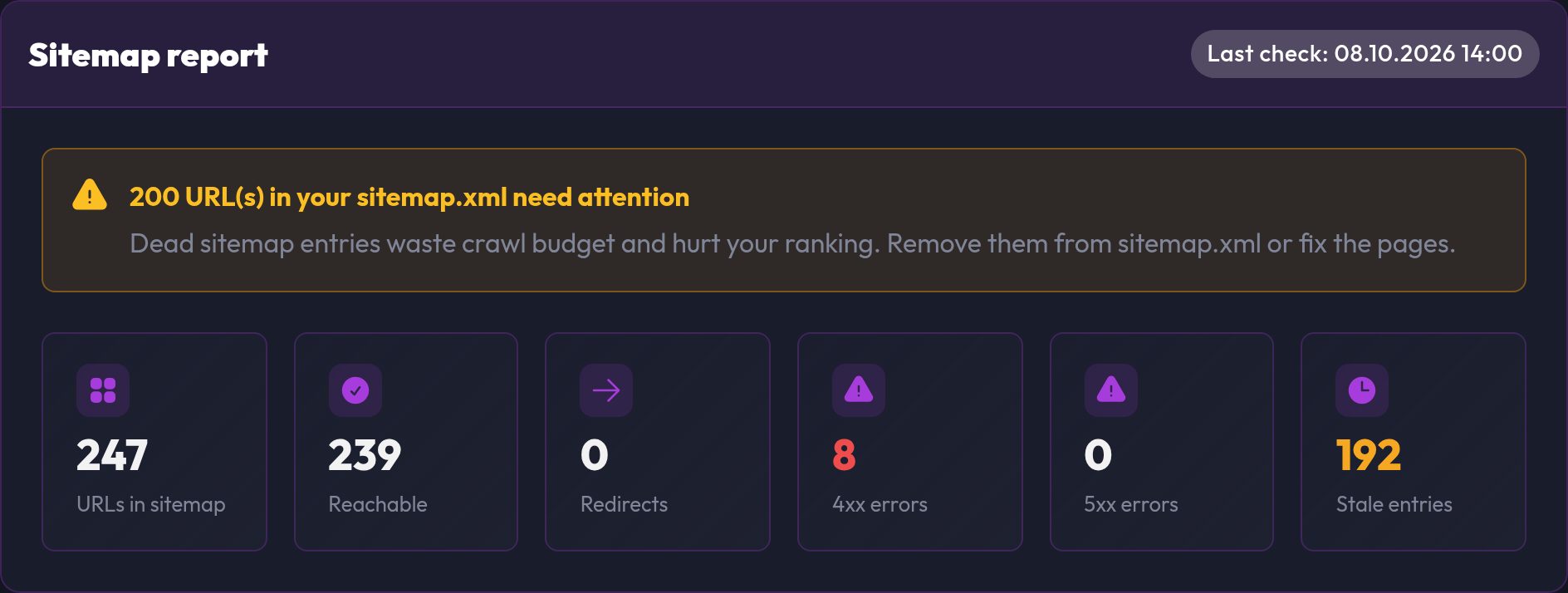
Key figures
| Figure | Meaning |
|---|---|
| URLs in sitemap | All URLs listed in the sitemap |
| Reachable | URLs that respond normally |
| Redirects | URLs that redirect to another address |
| 4xx errors | URLs that don't exist or that you aren't allowed to request |
| 5xx errors | URLs where your server reports an error |
| Stale entries | URLs that used to be in the sitemap and have since disappeared |
Problem URLs
The Problem URLs table lists, for each conspicuous URL, its state, the HTTP status, the problem and when it could last be loaded.
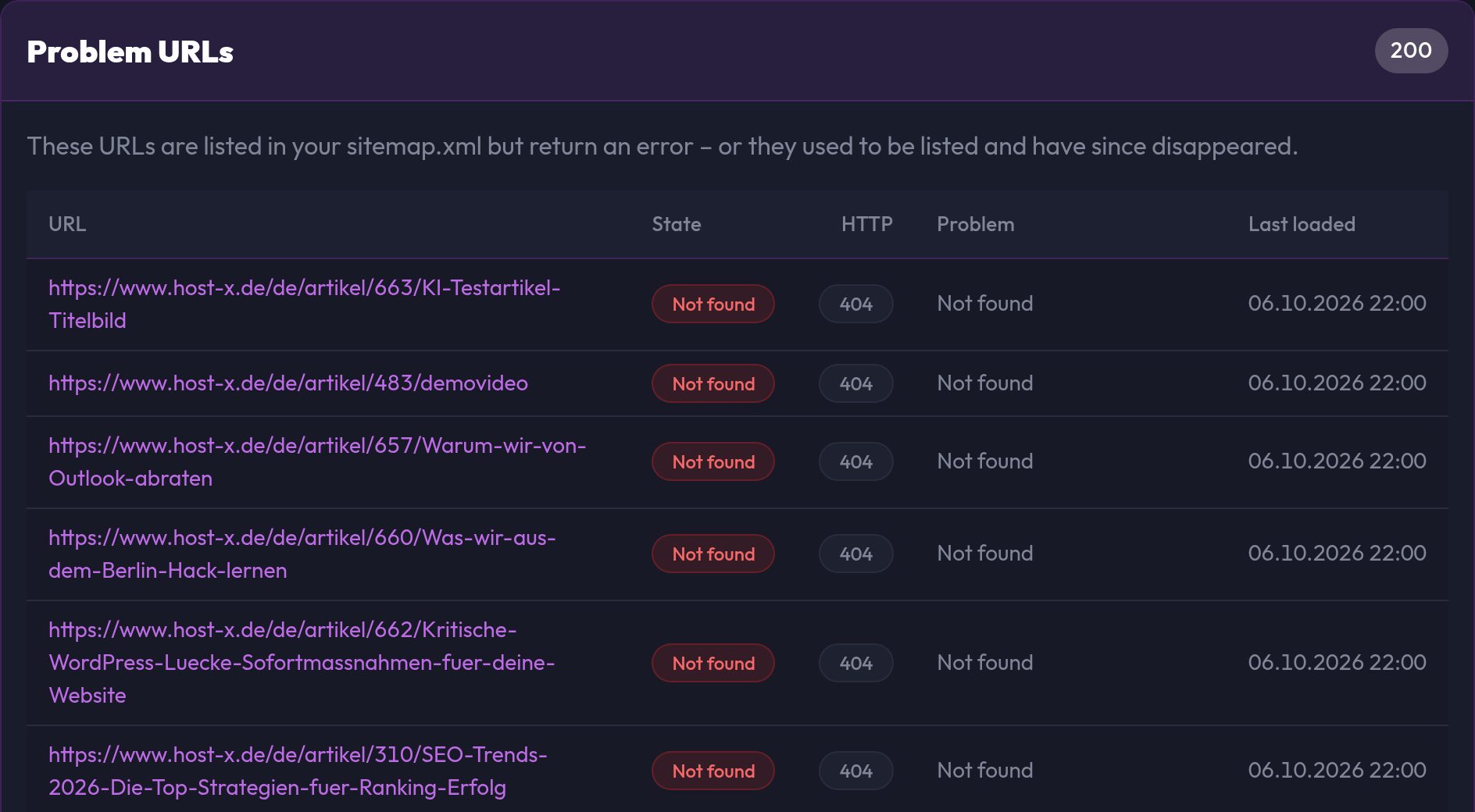
Crawl history
The Crawl history lists the previous runs with date, domain, trigger, sitemap state, errors and duration. That way you can see whether things are getting better.
Fixing common problems
The sitemap could not be loaded
As long as the sitemap isn't reachable, neither SEOFuxx nor Google can find your pages through it. Check that the file exists, sits at the address you entered, and isn't blocked by robots.txt or password protection.
4xx errors and broken links
Dead entries in the sitemap waste crawl budget and hurt your ranking. Remove them from the sitemap.xml or fix the pages, ideally with a 301 redirect to a suitable page.
Redirects
If the sitemap lists a URL that redirects, enter the target instead. That way no crawler has to take a detour.
5xx errors
Your server couldn't handle the request. Look at the server logs and check whether the page returns errors in the browser permanently, too.