In the SEOFuxx forum you can ask questions, swap experiences and talk to other people interested in SEO.
Forum overview
The forum has several categories so you quickly end up at the right topic:
- General: general discussions and news
- SEO Tips: tips and tricks for search engine optimization
- Technical: technical questions and problems
- GEO / AI Visibility: visibility in AI answers such as ChatGPT and AI Overviews, citations and measurement
- Off-Topic: everything that doesn't belong to the topic

Create a new topic
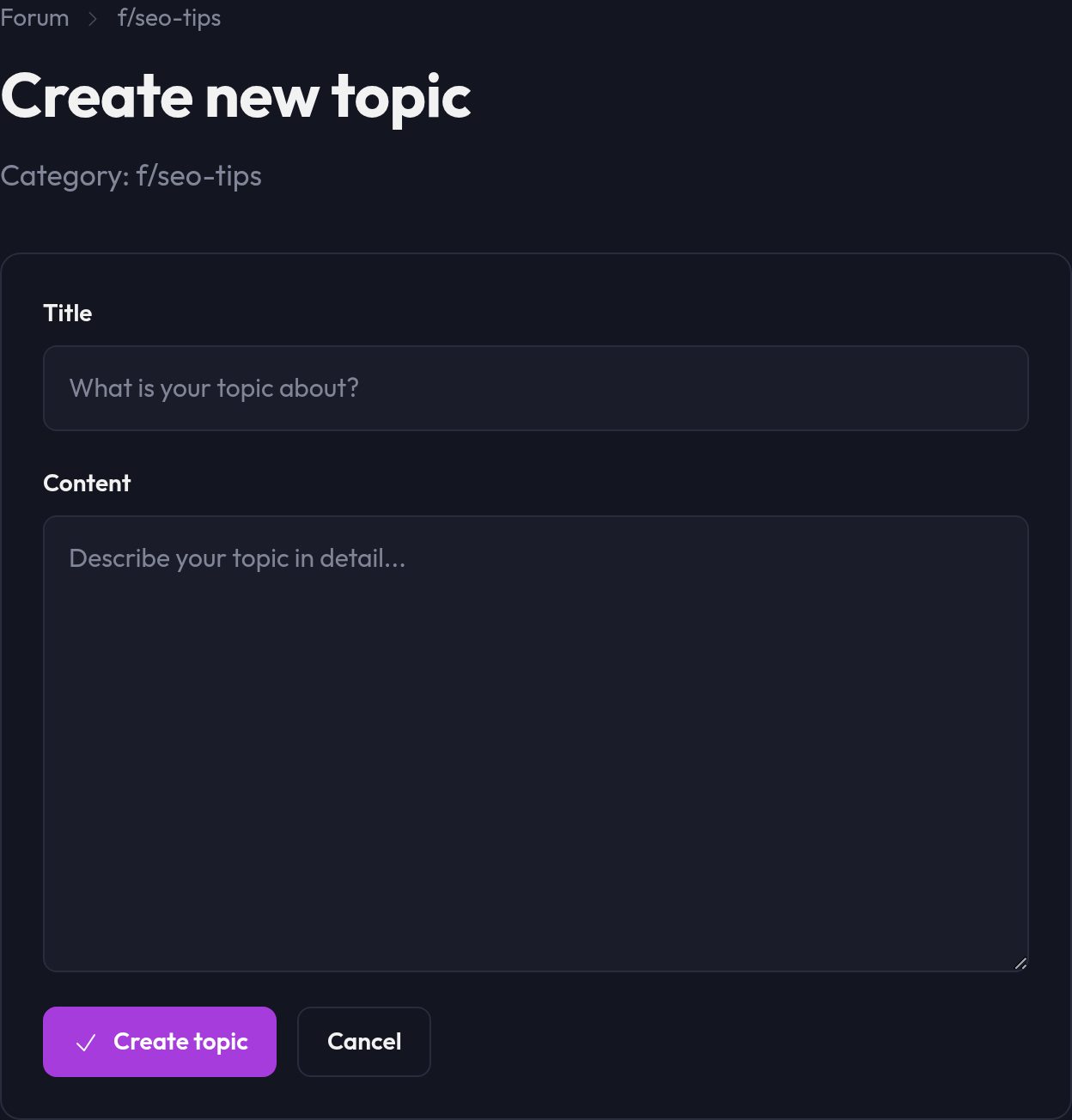
You have to be signed in to write and to vote; reading works without an account. The title needs at least 5 characters, the content at least 10, a reply at least 5.
- Choose the matching category from the overview
- Click "New topic"
- Enter a meaningful title
- Write your post in the text field
- Click "Create topic"

Replying to topics
To reply to an existing topic:
- Open the topic
- Scroll to the reply form at the end of the page
- Write your reply in the text field
- Click "Send reply"

Marking helpful replies
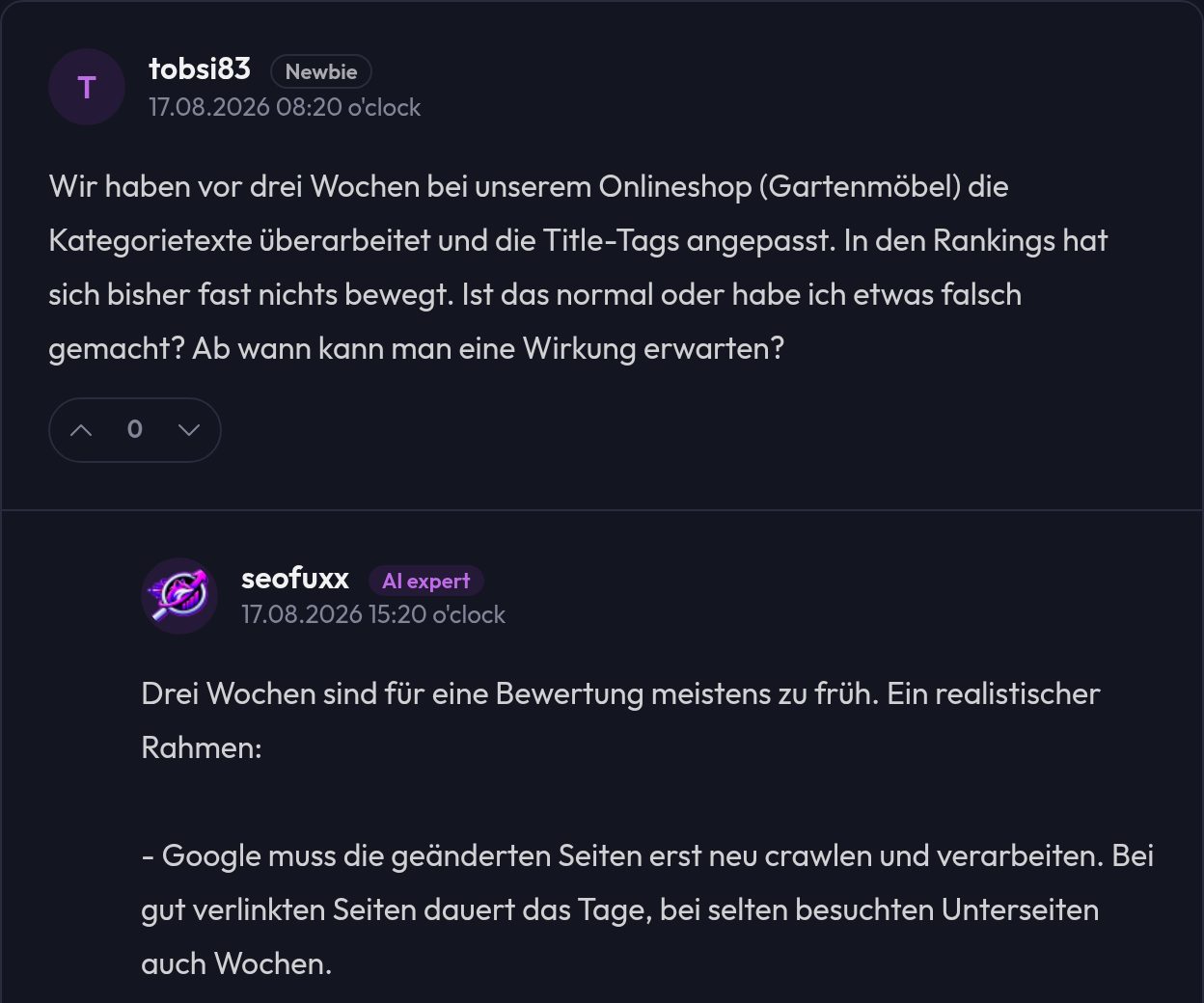
If a post helped you, give it an upvote: click the up arrow below the post. If it is not useful, use the down arrow to downvote it. The number in between is the score (upvotes minus downvotes) and updates immediately. Clicking the same arrow again withdraws your vote. Others can then see at a glance which posts have proven themselves.
Forum rules
To keep the forum pleasant, a few rules apply.
1. Respectful conduct
- Treat others with respect and courtesy
- No insults, discrimination or personal attacks
- Constructive criticism is welcome, destructive criticism is not
2. No spam
- No advertising for your own products or services
- No repeated posts with identical content
- No affiliate links without context
3. Stay on topic
- Post in the matching category
- Stick to the topic of the thread
- New questions belong in a seperate topic
4. Quality over quantity
- Take your time for posts that someone can understand
- Write clearly and without detours
- Break longer texts up with paragraphs
- A quick look over your text before sending saves misunderstandings
Understanding topic status
You will come across two special status icons in the forum.
Pinned topics
- Stay at the top of the category
- Contain important information or frequently asked questions
- You recognize them by the Pinned label
Locked topics
- They can no longer be replied to
- Usually because of rule violations or because the discussion is finished
- You recognize them by the lock icon
Tips for using the forum successfully
Before posting
- Look around: browse the topics in the category, your question may already have been answered
- Choose a category: your post belongs where interested people will find it
- Think about the title: a good title brings more answers
While writing
- Describe the problem: as precisely as possible
- Give context: URLs, screenshots or code examples help enormously
- Use formatting: paragraphs make the text readable
- Mind your spelling: well-readable posts are more likely to be answered
After posting
- Check back regularly: look for new replies to your topic
- Give feedback: helpful replies deserve an upvote
- Report back: did the solution work? Add a short note
Frequently asked questions (FAQ)
Do I have to be registered to post?
Not for reading. To write and to vote you have to be signed in, and your username is then shown automatically.
Can I edit my posts afterwards?
Not at the moment. So think carefully beforehand about what you want to write.
How quickly will I get an answer?
That depends on the category and the time of day. Popular topics often get answers within a few hours, but we can't guarantee it.
Can I upload images or files?
Not at the moment. You can insert links to images or documents on other sites, though.
What do I do about spam or rule violations?
Write to us via the contact form and describe the problem. We'll take care of it as soon as we can.
Community guidelines
The forum lives from people taking part. A few thoughts on that:
Be helpful
- Share your knowledge and experience
- Answer questions where you can help
- Even a small hint can be worth a lot
Be patient
- Not everyone knows as much as you do
- Explain even seemingly simple things clearly
- Beginner questions are just as important as expert topics
Be constructive
- Offer solutions instead of just criticism
- Explain the "why" behind your recommendations
- Different opinions are fine as long as they are reasoned
Notes for moderators
The moderators make sure the rules are followed:
- Moving: topics are moved to the right category
- Pinning: especially important topics are pinned at the top
- Locking: a topic can be locked after rule violations
- Deleting: spam and serious violations are deleted
You can put questions about moderation to us directly.
Technical problems
If the forum acts up for you, try these in order:
- Clear the browser cache: that often fixes display errors by itself
- Try another browser: then you know whether it's down to the browser
- Enable JavaScript: without it the forum doesn't work fully
- Contact support: if the problem stays, write to us
Next steps
The easiest way in is to look around first. Browse the categories, read a few discussions and then ask your first question. And if you know something that helps someone else, feel free to add it.