The Favicon Tool turns an image, including an AI-generated one, into all the favicon files your website needs.
Ways to generate
There are two ways:
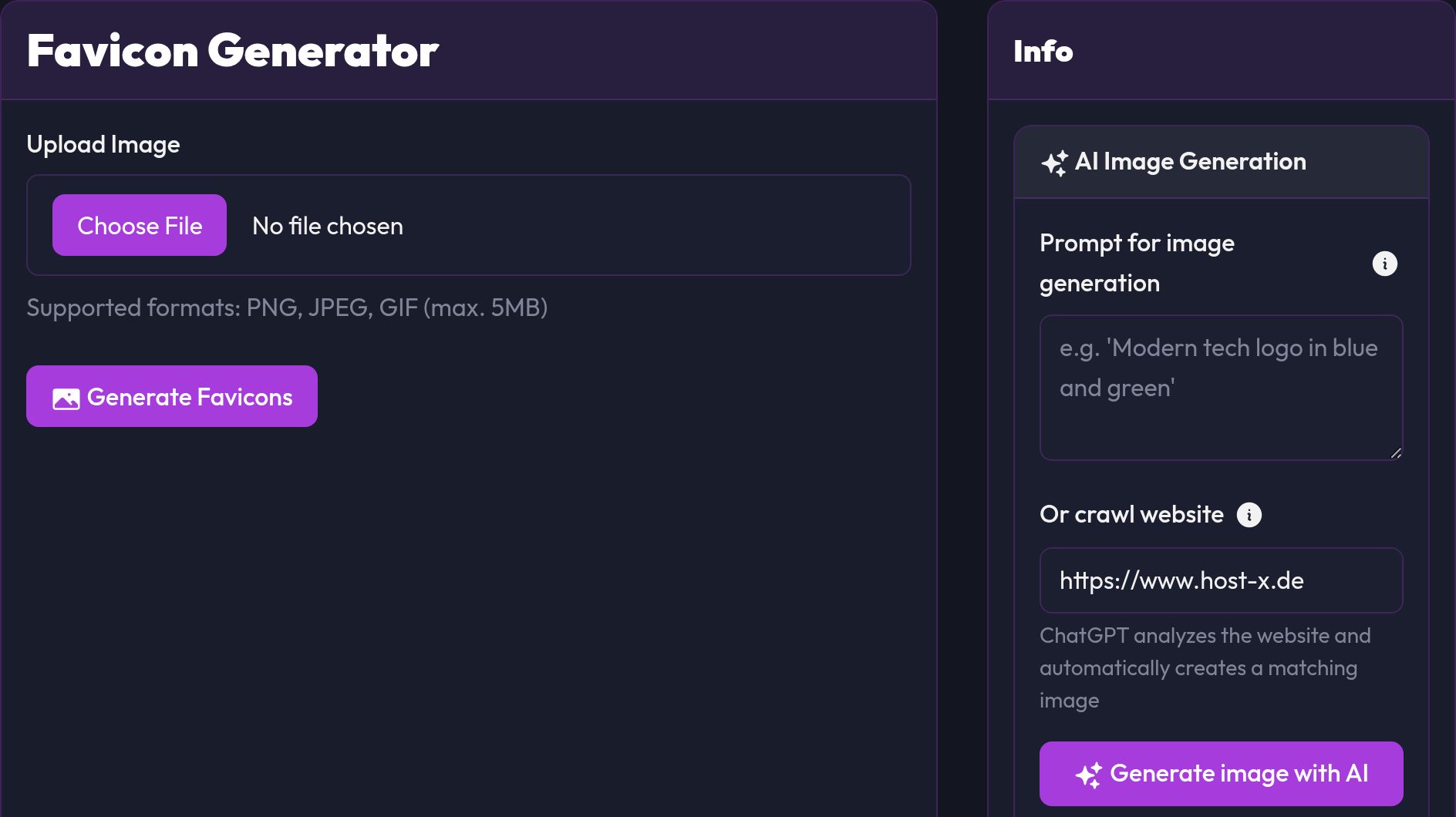
- Upload flow: upload your own image and generate favicons
- AI flow: create an image from a prompt or URL and generate favicons from it
Requirements
Use a square image with a clearly recognizable motif. From 512×512 pixels it becomes usable, bigger doesn't hurt.
Tip: At 16×16 pixels you can't see details anymore. A plain logo works much better there.
Option A: Upload flow
- Open Favicon Tool
- Under Upload image, choose your logo
- Click Generate favicons
- Then download the ZIP or individual files
Option B: AI flow
- Open the AI image generation area on the right side of the tool
- Enter either a prompt or a crawl URL
- Click Generate image with AI
- Check the preview and click Use image
- SEOFuxx creates the favicons from it
Files currently generated
favicon.icofavicon-16x16.pngfavicon-32x32.pngfavicon-48x48.pngapple-touch-icon.pngandroid-icon-192x192.pngandroid-icon-256x256.pngandroid-icon-512x512.pngbadge-72x72.pngmaskable_icon.pngpush-192x192.png
Adding them to your HTML
These tags belong in the <head> as a minimum:
<link rel="icon" href="/favicon.ico" sizes="any" />
<link rel="icon" type="image/png" sizes="32x32" href="/favicon-32x32.png" />
<link rel="icon" type="image/png" sizes="16x16" href="/favicon-16x16.png" />
<link rel="apple-touch-icon" href="/apple-touch-icon.png" />
Check after adding
Clear the browser cache, reload the page and look at the tab icon. On your phone, take a look at the mobile display as well.
Common problems
Favicon does not update
- Do a hard reload (
Ctrl+F5) - Try an incognito window too
- Clear the CDN or server cache if you use one
AI image does not fit
- Phrase the prompt more precisely
- Try a diffrent crawl URL
- Generate a new AI image and use that one instead
Note: New favicons often take a while to show up in search results. That's down to Google, not you.